Gym Track 
Set up your workouts once. In the gym, tap a set to log it and the rest timer starts. Afterwards every session is saved, your records and estimated one-rep maxes are worked out for you, and you can see which muscles you have trained and which you have skipped. All of that is free; Premium removes the storage caps and adds a couple of extras.
What it does
Set up once. Log in seconds. See it add up.
For people who train the same lifts week after week and want to see the weight going up.
01 · Programs
Your split, already set up
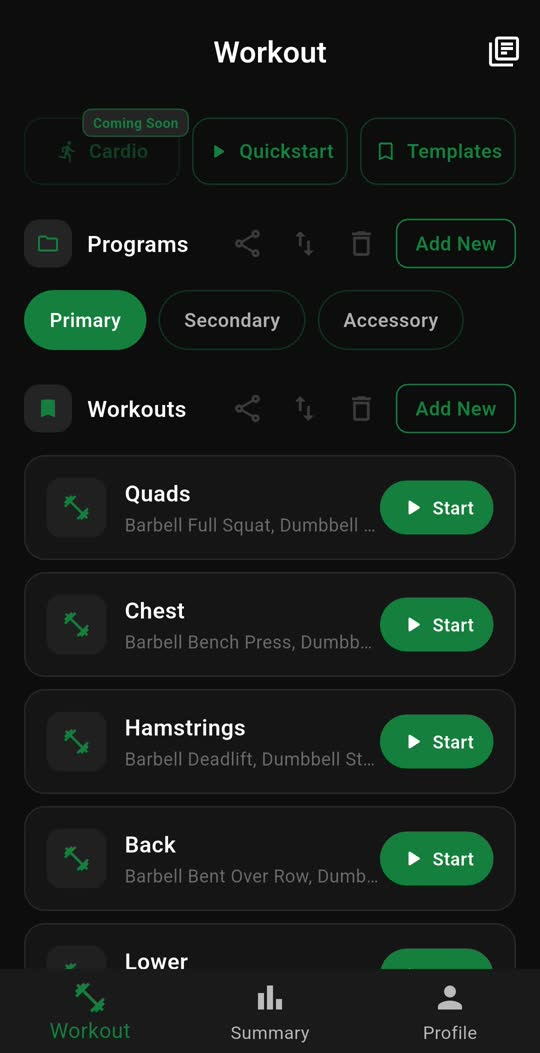
Save your push, pull and leg days as workouts inside a program. Build one from scratch, drop in a ready-made template, or hit Quickstart and add exercises as you go. Next time you walk in, you tap Start.
02 · Logging
Nothing to type between sets
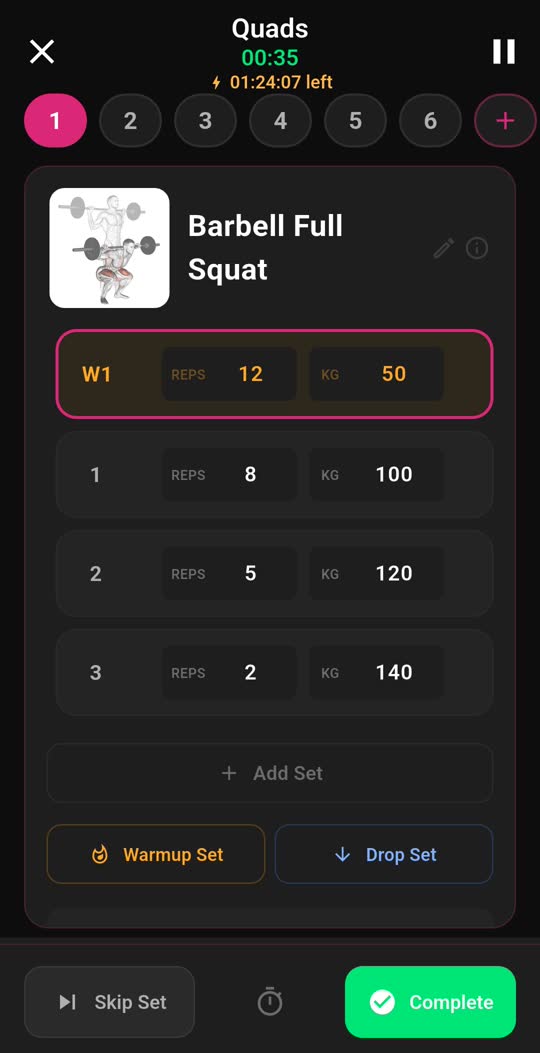
Each exercise gets its own page. Enter your weight and reps once and they carry down to the sets below. Tick a set and the rest timer starts. Pause if you are interrupted, or leave the app and come back to the same set.
03 · Set types
Supersets, warm-ups and drop sets
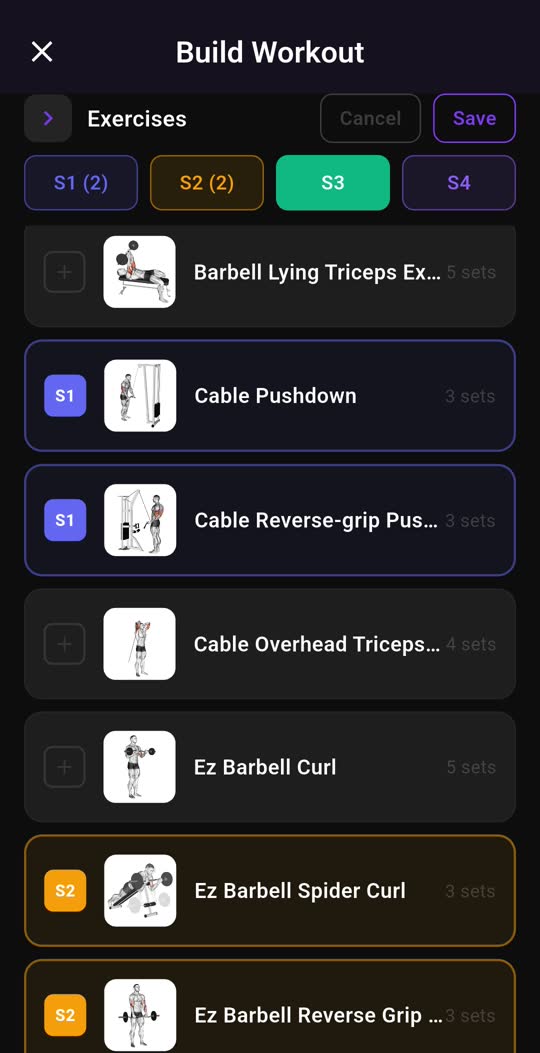
Link exercises into a superset and choose whether you rest after each one or after the round. Mark warm-up sets so they are not counted as working volume, and drop sets so they are. Cardio gets a stopwatch or a countdown instead of a rep counter.
04 · Library
Only got dumbbells today?
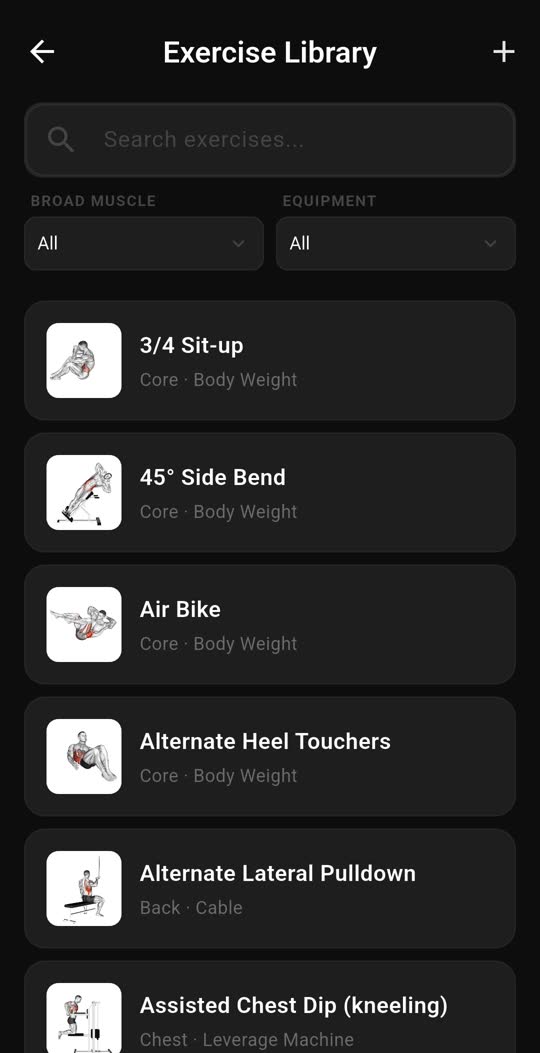
Every exercise has an illustration, the muscle it trains and the kit it needs. Filter by muscle and by equipment, so you only see what you can do with what is in front of you. Add your own custom exercises and keep notes on any of them.
05 · Previous weights
What did I lift last week?
Open an exercise and your past sessions are listed underneath. Tap one and its sets, reps and weights are copied into today, so you start where you left off and add to it. Works while building a workout and mid-session.
06 · Summary
Are you actually getting stronger?
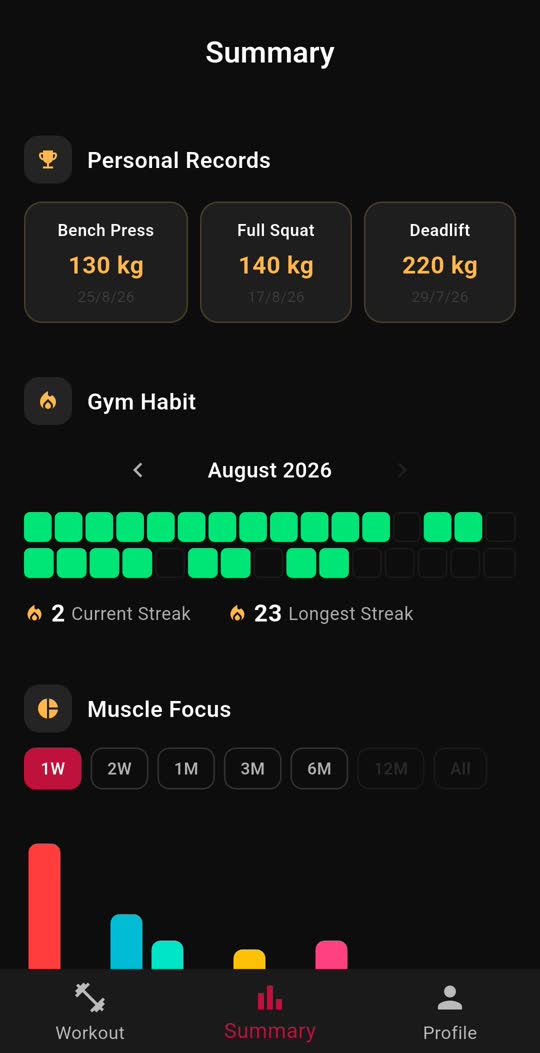
Personal records and estimated one-rep maxes are worked out from the sets you log. A calendar shows every day you trained and your current and longest streaks. A muscle chart shows where your sets went, and graphs track volume, time, cardio and RPE.
07 · Monthly summary
A month of training on one page
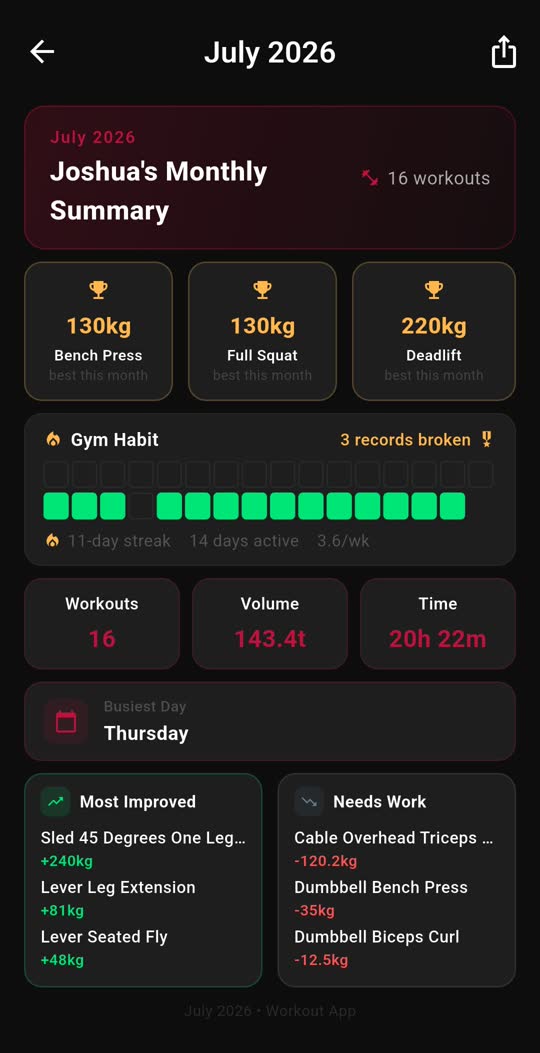
At the end of each month you get a report: how many workouts, total volume, records broken, the lifts that improved most and the ones that slipped. They are kept under Notices, so you can go back to any of them or share one.
08 · Training modes
Out the door on time
Rush Mode asks when you need to leave and counts down beside you all session. Focus Mode nudges you if you drift off into another app. Rest alerts buzz, beep or both. Rate sets by RPE, let finished workouts rotate to the bottom of the list, and pick from seven colour themes.
09 · Account
New phone, same history
Sign in with Google, Apple or email and your programs, history and Premium follow you to any phone. Prefer not to? Guest mode keeps everything on this one. Share a workout or program as a link others can import, and anything you delete waits 24 hours in Recently Deleted.
See it
What you see in the gym.
Three tabs: Workout, Summary and Profile. Complete and Skip sit at the bottom of the screen under your thumb, and the rest timer runs beside them.
Questions
The ones people ask.
Does my data sync between devices?
Sign in and your workouts, programs and settings are backed up to your account and follow you to any device you sign in on. Premium follows your account too. Guest mode keeps everything on the one device, and you can sign in later without losing anything.
How do I set up an exercise like I did last time?
Open the exercise and look for the Previous Weights card. Tap any past session and confirm, and its sets, reps and weights are copied in. This works while editing a workout and mid-session in an active one.
How do I share a workout or program?
Choose Share on any workout or program to send a link. Anyone with Gym Track can open it to import a copy into their own programs. A finished session can also be shared as an image straight from its summary.
I deleted something by mistake. Can I get it back?
Yes. Deleted workouts, programs and templates sit in Recently Deleted under Settings for 24 hours, where you can restore them.
Is there a tutorial?
The first time you open each page, a short guided tour points out what is on it, one step at a time. You can replay the whole tour any time from Settings.
What exactly does Premium change?
The storage caps: how many programs and workouts you keep, how many exercises fit in one workout, and how far back the Summary charts look. Plus two Premium-only features: creating and editing your own templates, and saving a workout from your history back to a program. Logging, records, charts, training modes, sharing and sync are free for everyone.
Log your first session tonight.
Free on iPhone and Android. This link picks the right store for you.